
NILRT WireGuard Tools: VPN for NI Linux RT
Secure your NI Linux RT communications with a simple, efficient VPN
NI Linux Real-Time systems are often deployed in environments where remote connectivity is essential. Remote maintenance, monitoring, data transfers, and connections between industrial sites all rely on network communications that must remain secure.
Neosoft NILRT WireGuard Tools helps install and configure a WireGuard-based VPN directly on compatible NI Linux RT targets. It simplifies the creation of encrypted communications and the management of VPN parameters without requiring unnecessary changes to existing applications.
A VPN Solution for NI Linux RT Systems
Embedded environments require connectivity solutions that account for the hardware, software, and operational constraints of each device.
NILRT WireGuard Tools is based on WireGuard, a modern VPN technology designed to establish encrypted network tunnels between authorized peers. The tool provides an interactive interface for configuring essential VPN parameters and simplifying deployment on compatible targets.
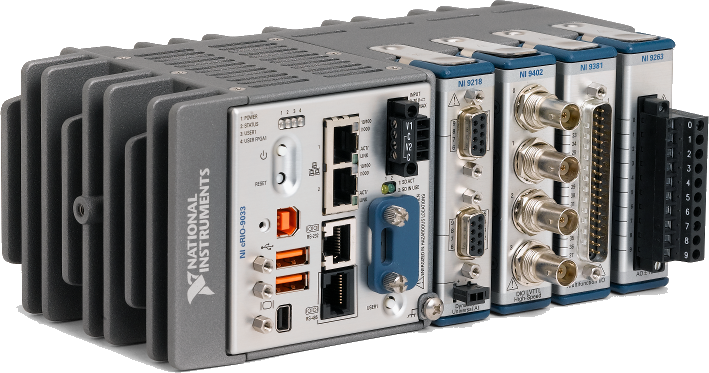
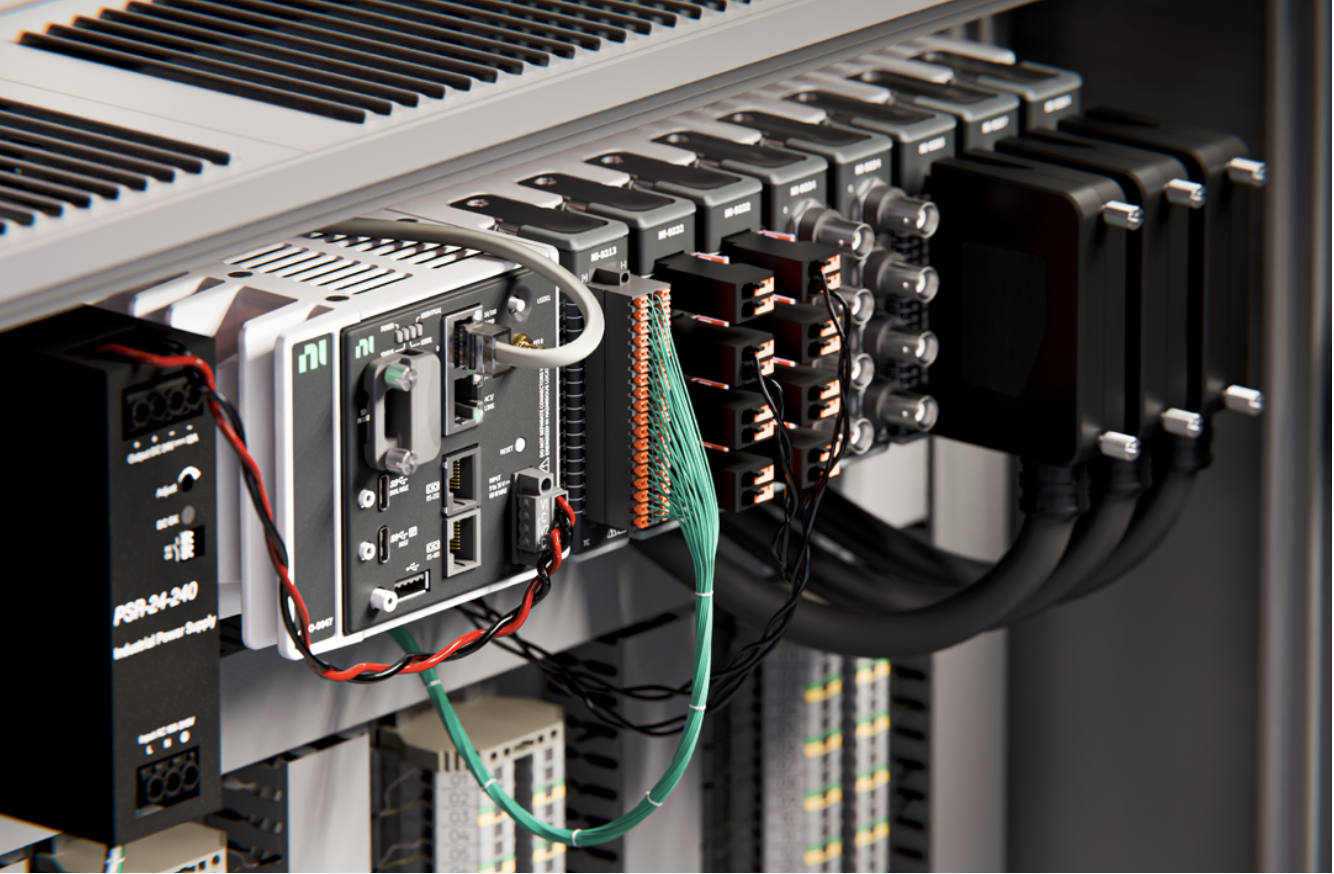
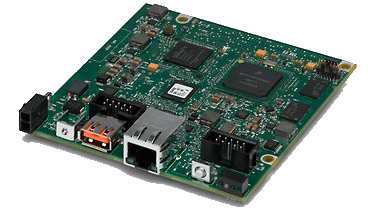
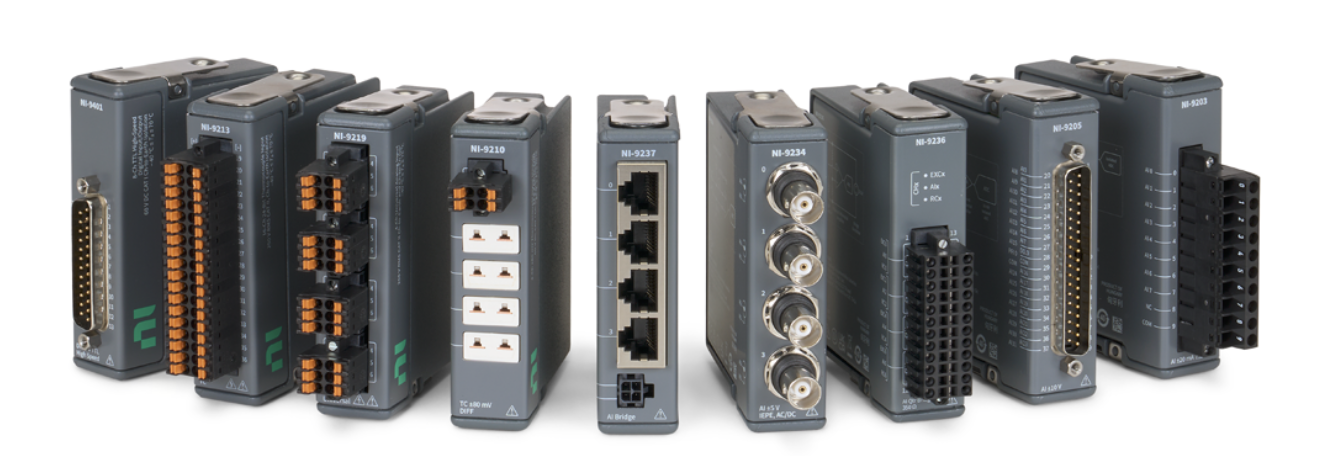
The solution is intended for NI Linux RT environments using platforms such as CompactRIO, PXI, and sbRIO, subject to compatibility with the target model and software image.
Why Use Neosoft NILRT WireGuard Tools?
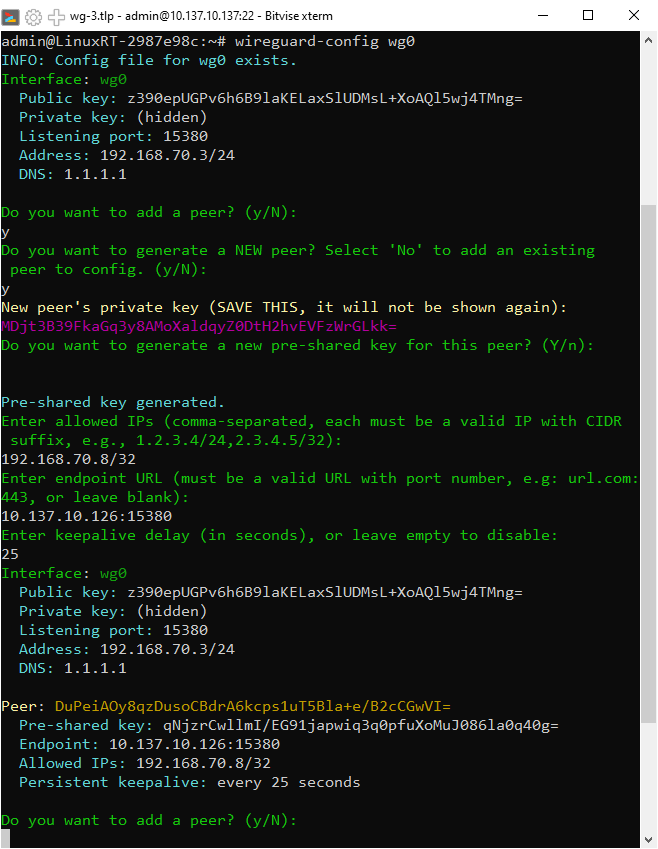
Manual VPN configuration can involve several parameters, including key generation and management, IP addresses, permitted networks, endpoints, routing, and connection maintenance.
NILRT WireGuard Tools brings these tasks together in a guided process to help teams:
Create and configure WireGuard interfaces on compatible targets.
Generate the keys required for VPN operation locally.
Define the virtual interface’s IP address and network.
Add and configure peers, their public keys, and endpoints.
Define Allowed IPs to specify the addresses reachable through the tunnel.
Configure connection maintenance options when required by the network architecture.
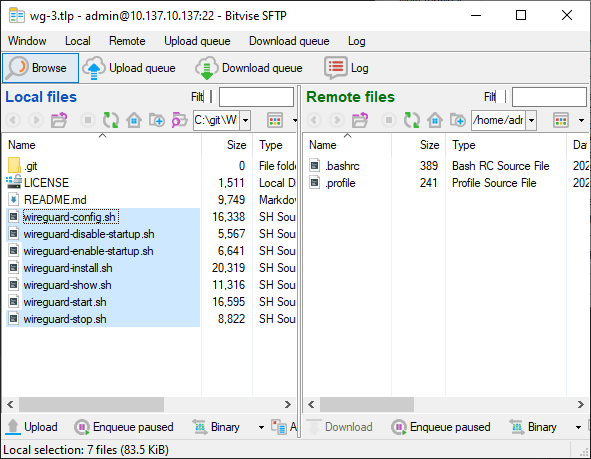
Start or stop an interface manually and configure automatic startup where supported.
Review the current configuration to support validation and troubleshooting.
Key Features
Interactive VPN Configuration
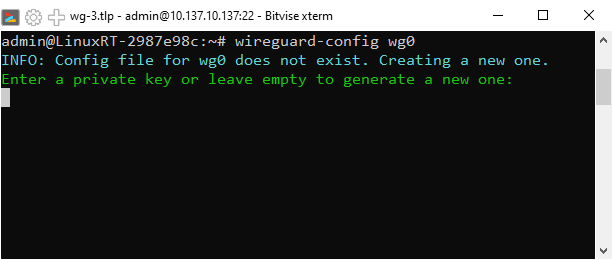
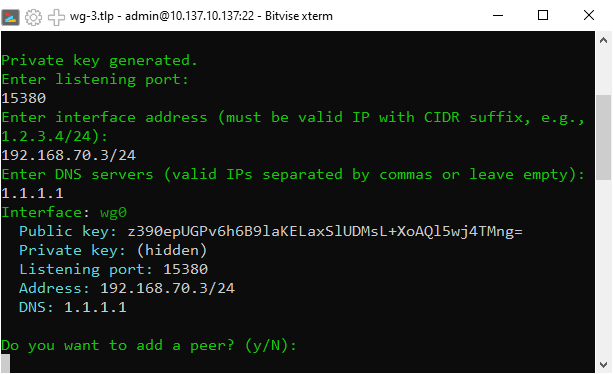
The tool provides an interactive utility designed to simplify the creation and management of WireGuard interfaces. Users are guided through the essential parameters rather than having to build every configuration element manually.
This approach structures deployment while preserving the flexibility required for more advanced network architectures.
Key Generation and Management
Local key generation allows private keys to remain in the environment where they are created, according to the procedure used.
Public keys are then used to identify peers in the VPN configuration. Private keys must be managed and protected in accordance with the organization’s security practices.
Interface and Peer Management
Each WireGuard interface has its own network configuration. The tool allows users to define the virtual interface’s IP address and network, then add peers with the required parameters, including public keys, allowed addresses, and endpoints.
These parameters determine how devices establish encrypted communications.
Routing with Allowed IPs
The Allowed IPs parameter defines IP addresses or networks associated with a peer and the destinations routed through the tunnel, depending on the configuration.
In the environment described for NILRT WireGuard Tools, configuring these addresses may also trigger the creation of the required system routes. Exact behavior depends on the configuration and routing mechanisms supported by the installed version.
This approach helps structure VPN communications and control which traffic is intended to pass through the tunnel.
Maintaining Connectivity with Persistent Keepalive
In some network architectures, a device may be located behind a NAT router or an intermediate firewall. The Persistent Keepalive setting can periodically send packets to help maintain an active network association.
This option is not required in every scenario. It should be configured according to network constraints, availability requirements, and device resource considerations.
Interface Startup, Shutdown, and Diagnostics
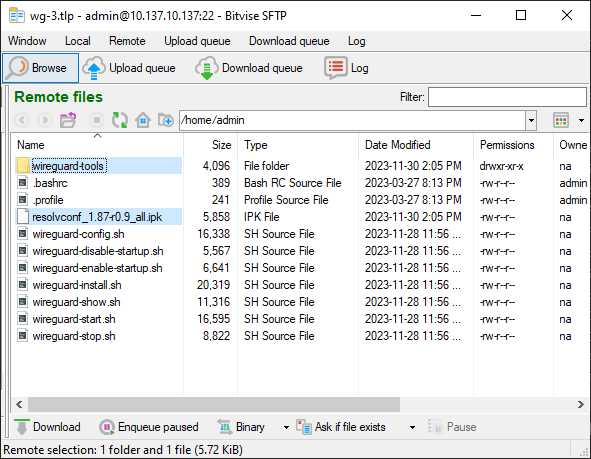
A configured WireGuard interface can be started or stopped manually. Depending on the features available in the installed version, it may also be configured to start automatically when the system boots.
A dedicated utility allows users to inspect the current configuration, supporting parameter validation and troubleshooting.

How Does NILRT WireGuard Tools Work?
Deploying a WireGuard VPN involves configuring the interfaces and peers that need to communicate.
The process generally includes the following steps:
Prepare the target: Verify NI Linux RT compatibility and install the required tools according to the applicable procedure.
Create the VPN interface: Define the virtual interface’s IP address and network.
Generate the keys: Create the required keys and keep private keys in an appropriate environment.
Configure the peers: Enter the public keys, endpoints, and Allowed IPs for authorized devices.
Configure routing: Verify that routes match the networks that must pass through the tunnel.
Configure connection maintenance: Enable Persistent Keepalive when network conditions justify it.
Start and validate the VPN: Verify tunnel establishment and communication between devices.
Configure automatic startup: If supported and required, enable the interface at system startup.
Parameters must be consistent across communicating devices. Connectivity also depends on IP configuration, routing, firewall rules, and network reachability of the endpoints.
A Flexible Peer-to-Peer VPN Architecture
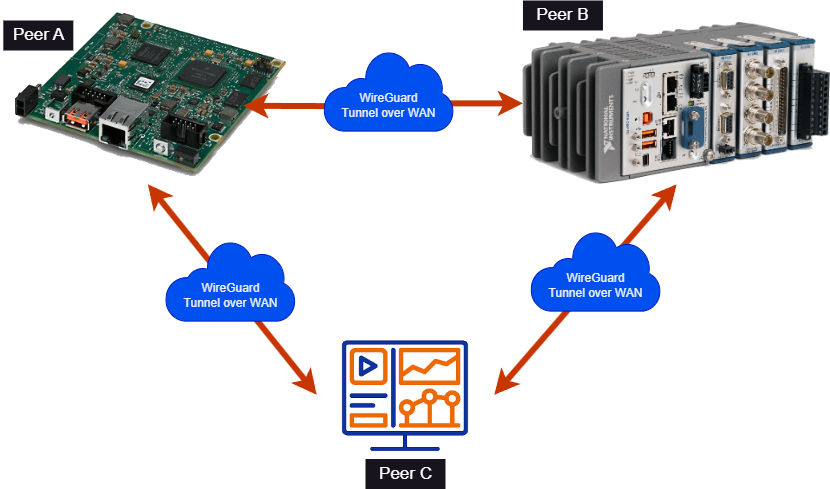
WireGuard uses a peer-based communication model. Each device has its own configuration and can establish encrypted communications with other authorized peers.
Depending on the selected architecture, one device can act as a central endpoint accessible to several systems, or multiple devices can communicate through a more distributed arrangement.
This flexibility supports a variety of scenarios:
Remote access to test equipment.
Communication between test benches and monitoring systems.
Interconnection of embedded systems across multiple sites.
Remote maintenance of industrial equipment.
IP communications between existing applications through a VPN tunnel.
The architecture should account for access requirements, routing constraints, and the security rules applicable to each network.

Designed for Engineering and IT Teams
NILRT WireGuard Tools is intended for technical teams that need to secure embedded system communications without redesigning applications that already use IP networking.
The VPN tunnel can carry compatible IP traffic, including TCP and UDP communications, provided routing and configuration are appropriate.
Engineering teams can use this approach to evaluate secure communications between test equipment and control systems. IT teams can integrate the solution into a broader architecture for access management, monitoring, and cybersecurity.
A Building Block in Your Cybersecurity Strategy
Encrypting network communications helps protect exchanged data against interception across the networks they traverse. However, encryption is only one component of a broader cybersecurity strategy.
The level of protection achieved depends on private key management, control of authorized peers, routing, firewall rules, and operational procedures.
NILRT WireGuard Tools can contribute to implementing protection measures in industrial or government environments, including projects where requirements such as NIST SP 800-171 apply. Using the product does not, by itself, guarantee compliance with that standard.
A License Associated with Each Target
Under the intended NILRT WireGuard Tools licensing model, each installation requires a license associated with the target’s serial number.
This approach helps control deployment across the relevant equipment. Activation, renewal, and license transfer conditions should be confirmed with Neosoft under the applicable terms.
Benefits for Your Technical Teams
Guided configuration of WireGuard interfaces.
Structured management of keys and peers.
Configuration of IP addresses, Allowed IPs, and endpoints.
Support for scenarios requiring Persistent Keepalive.
Interface startup and shutdown management, depending on available features.
Potential integration into communication architectures for embedded systems.
The option to complement VPN connectivity with network filtering.
Complement Your VPN with NILRT Firewall Tools
A secure VPN tunnel does not eliminate the need to control other network connections on the system.
Neosoft NILRT Firewall Tools helps configure firewall rules on NI Linux RT targets, control authorized connections, and add TCP and UDP exceptions. In a compatible architecture, it can complement the security measures associated with WireGuard.
Explore NILRT Firewall Tools to gain greater control over network access to your equipment.

Need to Secure Communications Between Your NI Linux RT Systems?
Whether you need remote maintenance, connections between multiple devices, or secure communications for a test bench, your VPN architecture must account for your hardware and network constraints.
The Neosoft team can help assess your project requirements and determine whether NILRT WireGuard Tools is suitable for your environment.
